
Check the guides before trusting the ratio
Review outer boundaries and inner centering guides on ordinary, decorative and borderless trading card layouts.
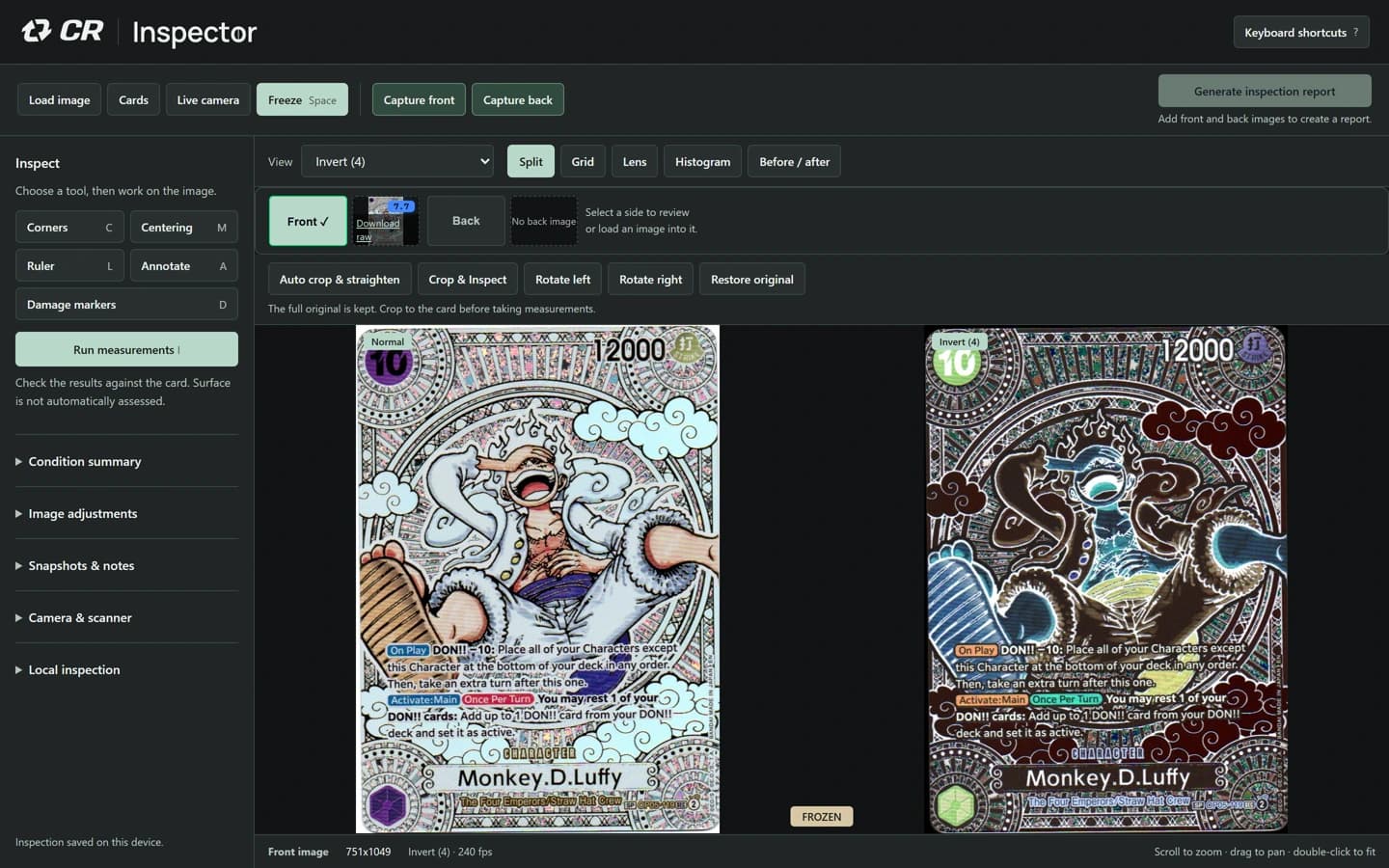
Separate the card from its surroundings
Start with a sharp scan or frame that includes the complete outer boundary and some contrasting background. Scanner beds, sleeves, shadows and artwork can create strong lines that are not the outside of the card.
The boundary editor shows the proposal and the refined boundary separately. Review the verified outline before using it. Passing individual edge checks is not the same as passing the full shape and background checks.
Inspect the inner guides
A numerical result is only useful if its guides correspond to the intended borders. Decorative designs and borderless artwork may not offer a simple conventional border at all.
Use manual guides where appropriate and record that adjustment. Do not present an interior illustration as an independently verified printed border.
Keep uncertainty in the report
If a trustworthy boundary cannot be established, improve the image or record that the measurement is unavailable. Manual placement remains subject to image verification.
Centering is one observation in a condition record. It is not a complete condition assessment, valuation or grading guarantee.
Inspector is an operator-led inspection and record tool. CardRevive AI Grader is a separate product with a separate subscription; Inspector does not use AI to diagnose the card or promise a grade.
The PDF uses supplied card images and operator-entered demonstration observations. It is not a customer case study or an independent assessment of the sample card. The sample workflow is deliberately limited; saved projects and cloud sharing are available in the subscribed workbench.