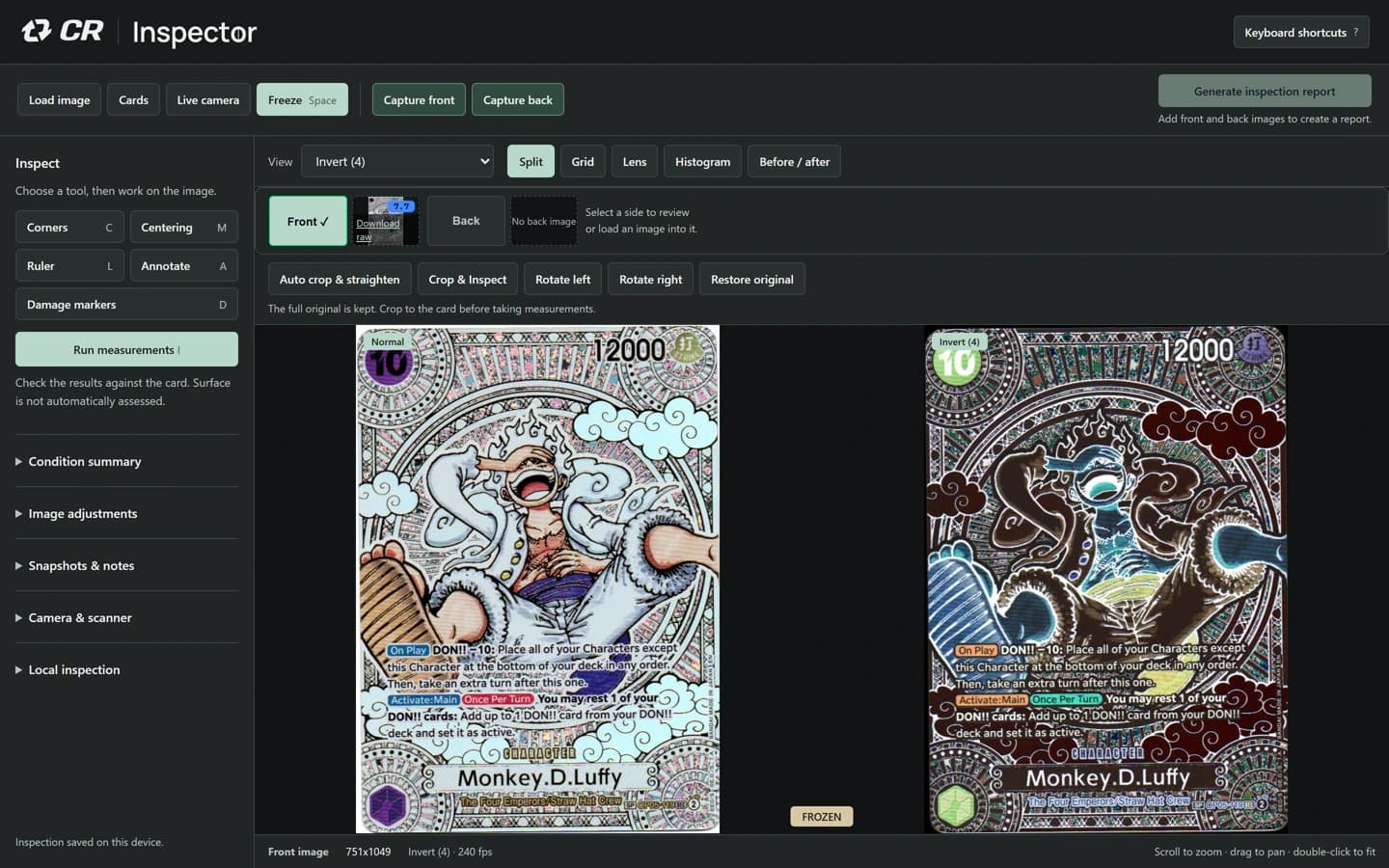
Compare what you see.
Keep the original beside a filtered view. Examine corners, adjust centering guides and use a ruler calibrated to your setup.

Trading card inspection software
Compare scans or live camera views. Mark what you see. Share a front-and-back condition record.
No account, upload or payment card needed for the sample.
Watch a real inspection 1 minRayquaza Gold Star
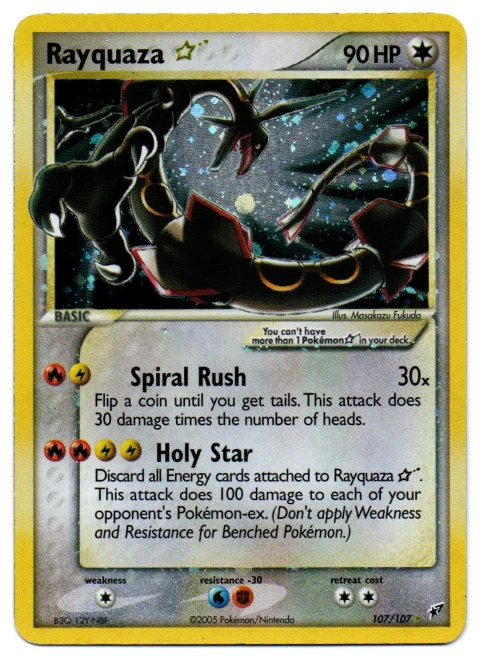

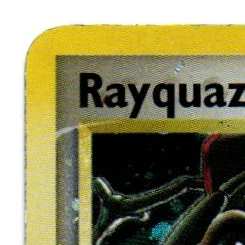 Front, top-left corner
Recheck this corner under angled light.
Entered by the operator.Your own cards? Try the full workbench free for 3 days.
Eligible new subscribers. Card required. Then A$79.99/month or A$799.99 upfront/year, renewing automatically. Cancel before the trial ends to avoid the first charge.
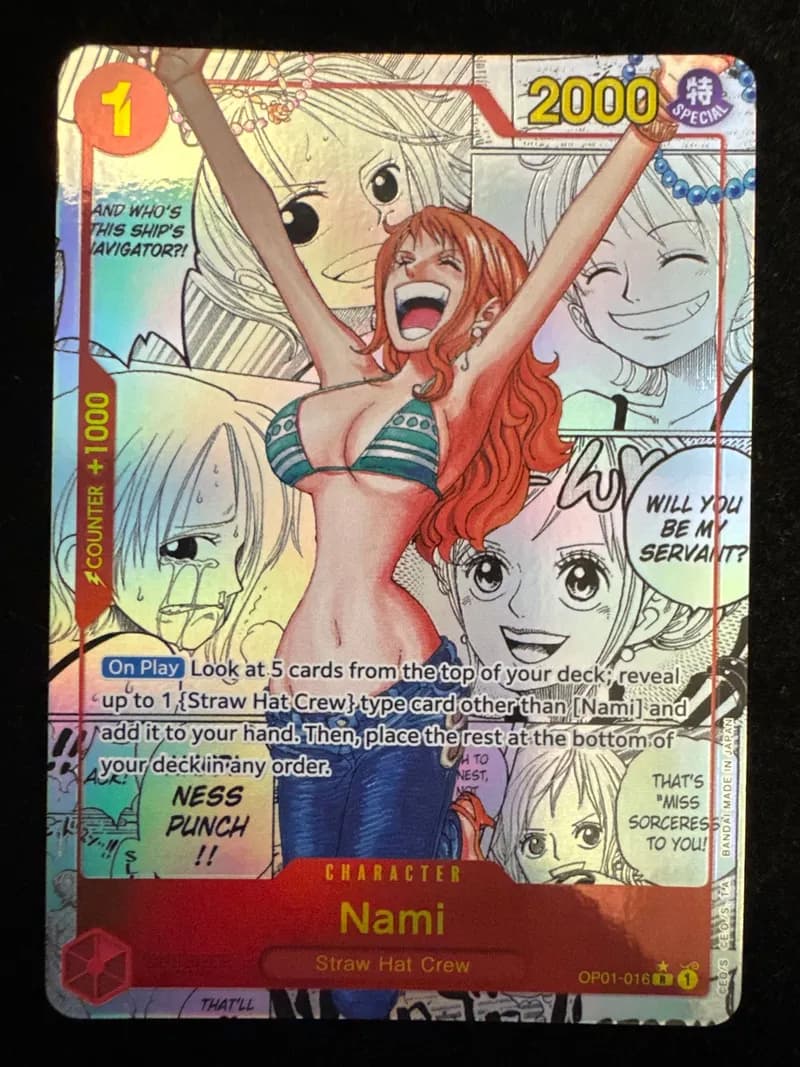
Inspector in action
See how a different view brings a crease into focus, then follow an inspection from a saved scan to a downloadable report.
Compare live views
Watch the same live card in original and colour-inverted views. Move the card and change the lighting to check what you see.
Spoken narration and a description of the visible demonstration. Background music accompanies the film.
Look closer. There. The detail that changes everything. CardRevive Inspector. Live card inspection, in your browser. Move the card. Change the light. Compare both views.
On screen: Watch the same live card in original and colour-inverted views. Move the card and change the lighting to check what you see.
Bring in a scan. Explore every corner.
On screen: A separate scanned card demonstrates filters and four corner views. This is a different card from the live-camera example.
Fine-tune your centering guides.
On screen: The operator moves a centering guide by hand. Review the boundaries yourself before relying on an image-based measurement.
Mark what matters. Explain what you see.
On screen: The operator adds a marker and a note: “Recheck under angled light before drawing a conclusion.” Markers record your observations.
Then turn your inspection into a clear report.
On screen: The separate scan becomes a front-and-back inspection record. Its condition estimate is not an official grade; automatic surface assessment is excluded.
Built from the workflows we use at CardRevive. For restorers. Card shops. Serious collectors. Your inspection. Your judgement. Open your workbench.
On screen: Return to the live-camera example. Inspector processes images in your browser and gives you tools to inspect and document; you make the assessment.
Start with a scan or live camera. Keep the original image, your inspection views and your observations together.
Keep the original beside a filtered view. Examine corners, adjust centering guides and use a ruler calibrated to your setup.
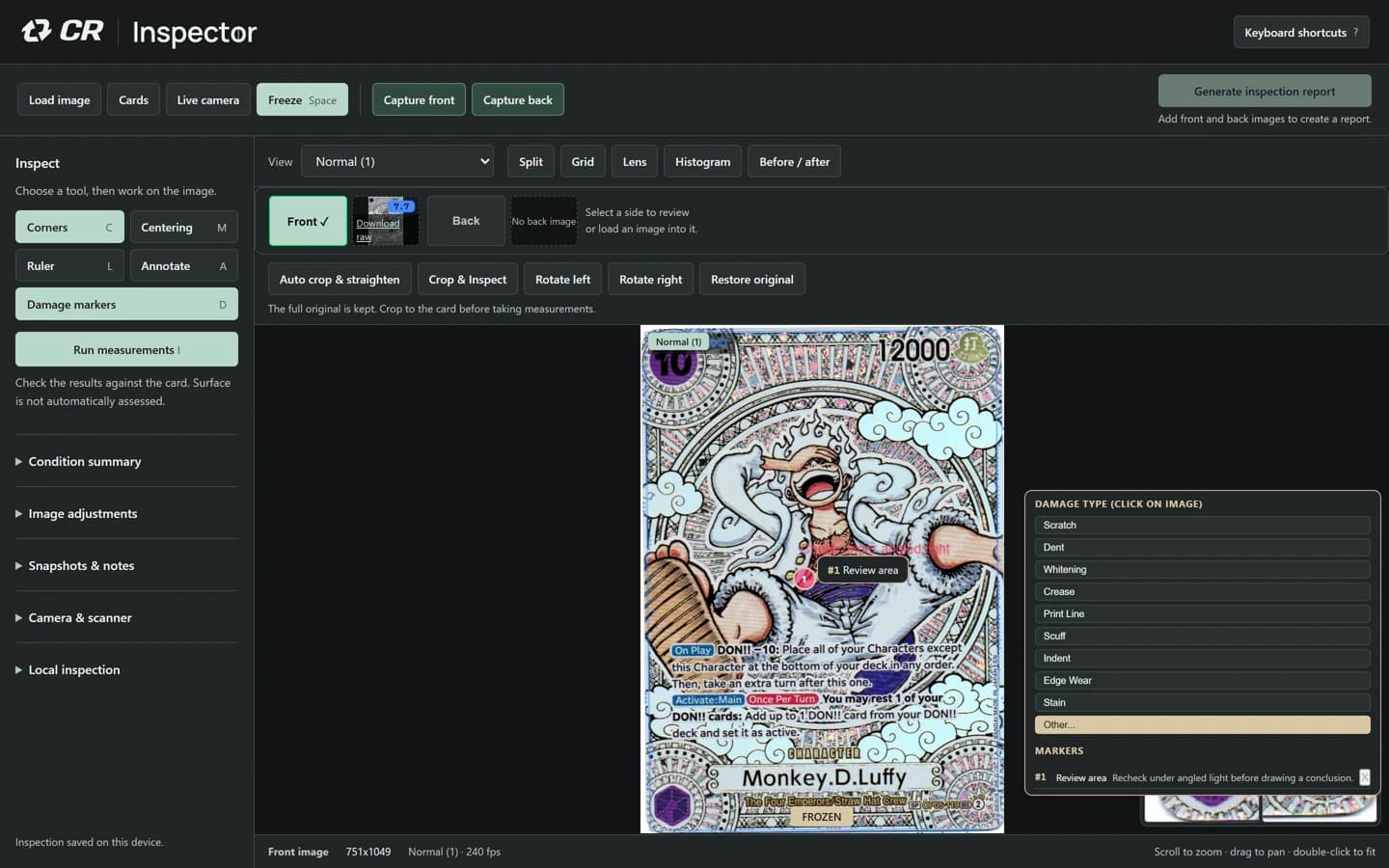
Mark an area for review, write a note and draw an annotation. Keep your own observations with the front and back images.
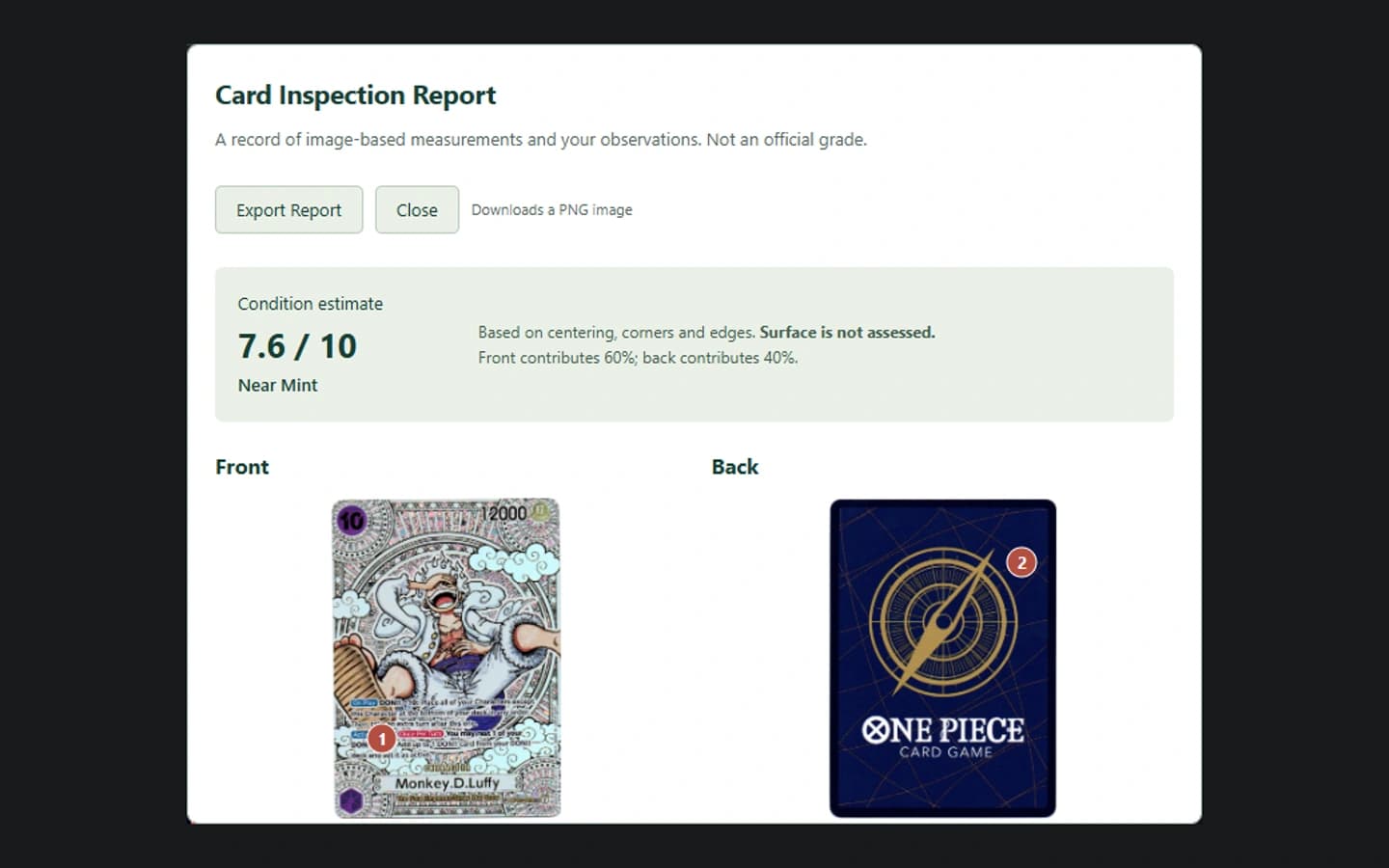
Download snapshots and a front-and-back inspection report, including measurements and operator notes, for your customer, team or records.
Try the core workflow with a supplied card: compare views, add an observation and create a sample record.
Try a sample cardAll featuresBuilt from the workflows we use at CardRevive
The workbench processes card images locally in your browser. For scans, choose Save to cloud to keep a private card project you can reopen on another device.
Your current inspection also saves locally. Export card projects, download reports and choose exactly what you keep. Camera sessions stay separate from cloud projects.
Inspector and CardRevive AI Card Grader
Separate products and subscriptions, with different roles in your workflow.
| Your task | Inspector | CardRevive AI Card Grader |
|---|---|---|
| Purpose | Inspect, measure and document | Estimate a likely grade |
| Image workflow | Live cameras or scans, processed locally | AI analysis of uploaded images |
| Output | Measurements, notes and inspection reports | Automated grade estimates |
Inspector’s condition estimates use centering, corner and edge measurements. Surface is not automatically assessed. Neither product certifies a card or guarantees an independent grade.
For an AI pre-grade estimate from front and back photos, see CardRevive AI Card Grader.
One workbench. Every inspection tool.
Both plans include the same tools, with no per-card fees. Choose the billing period that suits your work.
3 days free, then
A$79.99/month
Keep it flexible. Billed every month.
Start a 3-day free trialFor eligible new Inspector subscribers. Payment card required. After 3 days, A$79.99 is charged each month automatically. Cancel before the trial ends to avoid the first charge.
3 days free, then
A$799.99/year
A$799.99 billed upfront each year. Save A$159.89 versus monthly.
Start a 3-day free trialFor eligible new Inspector subscribers. Payment card required. After 3 days, A$799.99 is charged upfront each year automatically. Cancel before the trial ends to avoid the first charge.
No Pro or CardRevive AI Card Grader subscription required. View project, evidence, storage and support limits.
Prices in Australian dollars, including GST for Australian taxable sales. Applicable tax is included in the displayed total. Subscription renews automatically until cancelled. Access continues until the end of your paid period.
Want to try a card first? Open the free sample. No account or payment card needed.
Need a hand? Talk to CardRevive
Eligible new Inspector subscribers can try the full workbench with their own cards for 3 days. Create an account, confirm your email and complete checkout with a payment card. The trial starts when checkout completes. It automatically becomes A$79.99/month or A$799.99 billed upfront each year, depending on your chosen plan. Checkout shows the first charge date. Cancel renewal in your account before the trial ends to avoid that charge; access continues until the trial ends. Previous Inspector subscribers are not eligible for another trial.
Yes. Start a browser-supported camera, zoom and compare live filters, or load a saved image. Freeze holds a frame for closer inspection; Snap saves a photo for markers and reports. Controls open over the camera view. Open Advanced tools for the saved-photo workflow, or use desktop Chromium for the full workbench. Lighting, focus and image quality affect what you can see and measure.
Images are processed locally and your current inspection can autosave in this browser. For scans, Save to cloud stores a private card project in your account; Load from cloud reopens it. Export and import let you keep portable project files. Camera sessions are excluded from cloud projects. Clear saved inspection removes the local draft; delete cloud cards separately in Cards.
One tab can autosave or clear the draft; other tabs can inspect and download. To switch, download unsaved work, close the saving tab, then reload the other tab. Check the save status and download your work if local saving is unavailable.
No. It helps you examine and document a card. Automatic surface assessment is not included, and measurements depend on the image, lighting, card design and calibration. Review the guides and inspect surface views yourself.
Open your account and choose Manage billing to update payment details, download invoices or cancel renewal. Your paid access continues through the current billing period. Inspector is separate from CardRevive AI Card Grader and Pro subscriptions.
Upload images saved by your scanner. Direct acquisition requires the optional local scanner bridge and browser permission; it is not included in the hosted setup.
Explore a supplied card now. Bring your own cards to the full workbench.