
Record the card before it leaves your business
Keep front/back scans, operator observations and a pre-submission handover record together in Inspector.
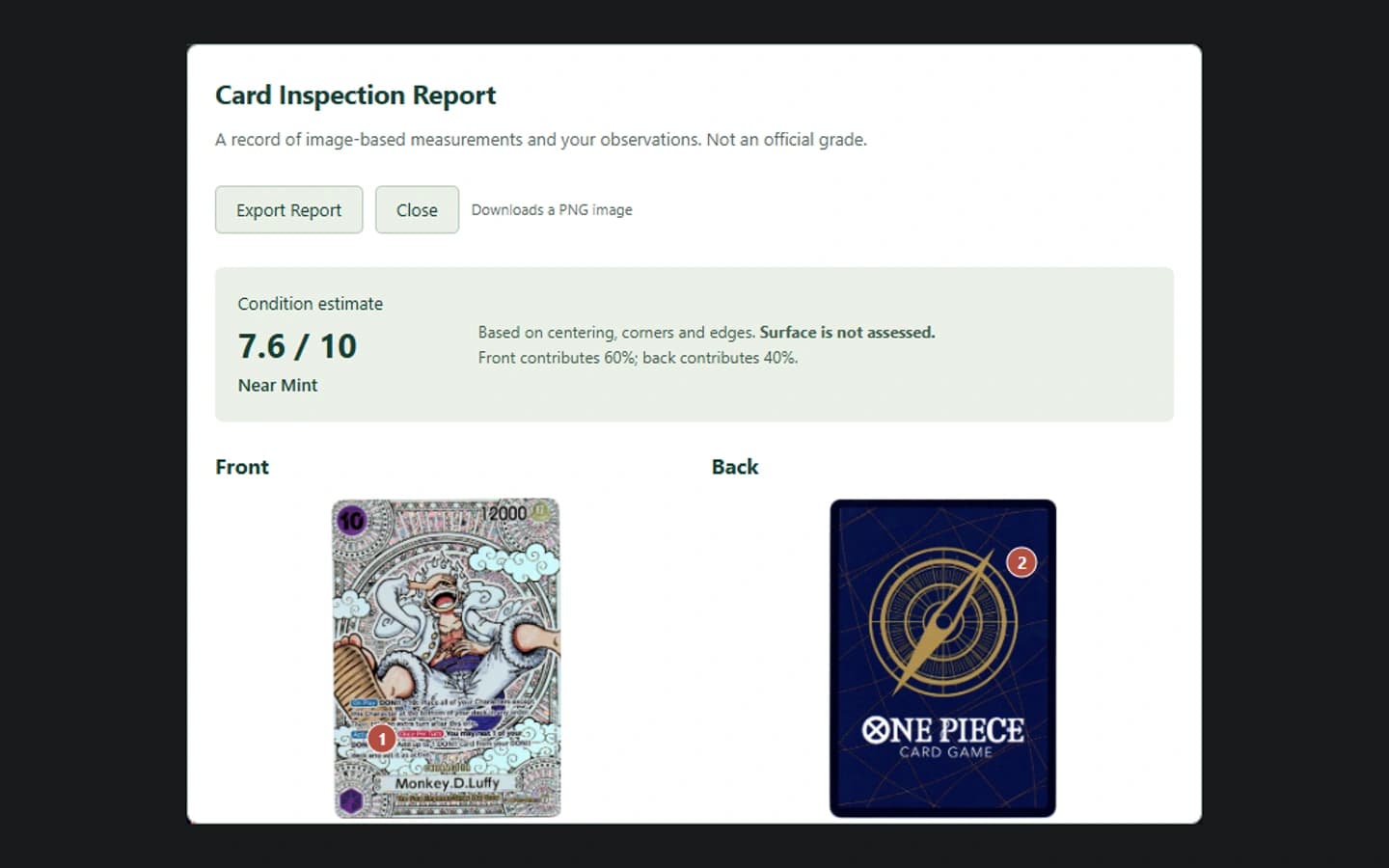
Make the received condition reproducible
Load the front and back, give the card a useful intake name, and record the operator’s observations before packing. For multiple cards, use batch intake and review each pairing before starting an inspection.
Check the centering guides against the actual printed borders. Decorative artwork can mislead automatic detection. A condition estimate is not a prediction you should present as a guaranteed grading outcome.
Keep a named checkpoint
Save a Received or Pre-submission checkpoint after the inspection. Keep a portable project export as well as any cloud copy you choose to save. Reopen it to check that the images and notes belong to the intended card.
A second-person review grants the named operator access to the full saved workshop record, including private notes. It is different from sending a customer report.
Hand over evidence, not a promise
Export the customer report and any relevant evidence before the card leaves. Record which areas were examined and what remains uncertain.
An eventual third-party grade is a separate result. Recording that result later helps you review your process, but does not prove Inspector caused a grading improvement.
Inspector is an operator-led inspection and record tool. CardRevive AI Grader is a separate product with a separate subscription; Inspector does not use AI to diagnose the card or promise a grade.
The PDF uses supplied card images and operator-entered demonstration observations. It is not a customer case study or an independent assessment of the sample card. The sample workflow is deliberately limited; saved projects and cloud sharing are available in the subscribed workbench.